Blog
How to test privacy before and after a VPN
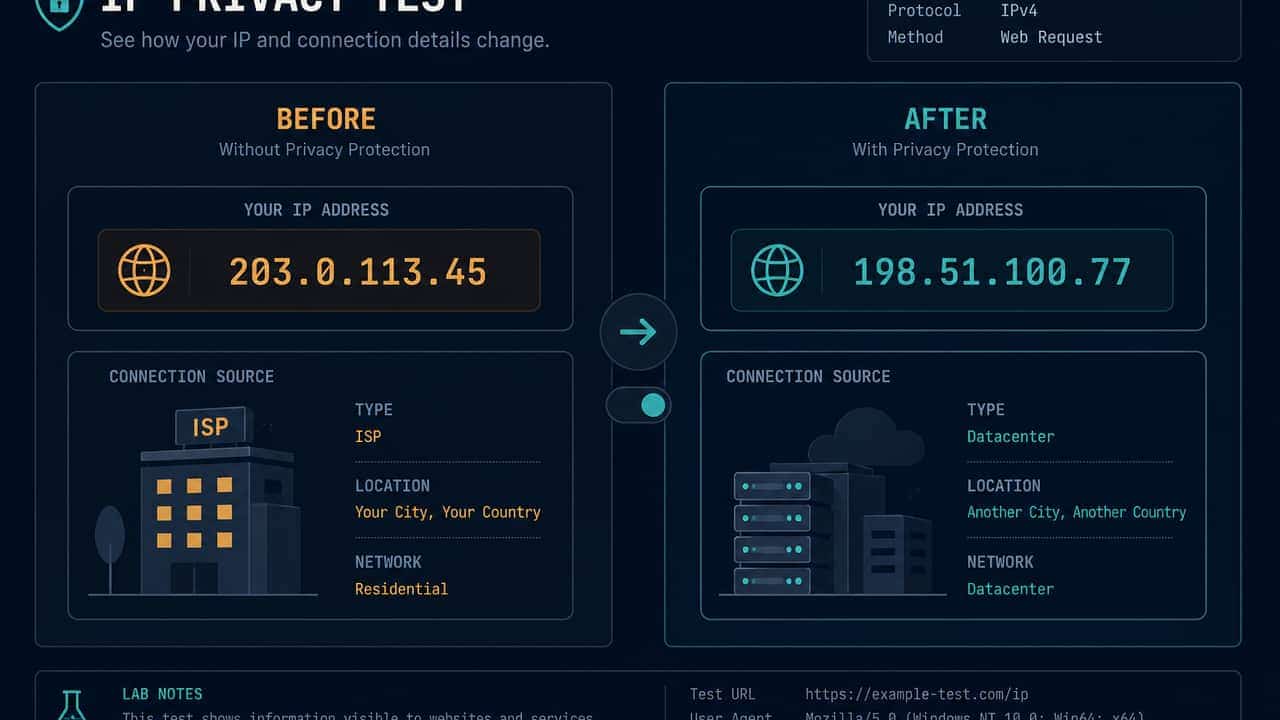
A fair before/after privacy check changes only the VPN, uses the same browser, and compares values this page can actually read: public IP, and if provided, country and ISP. That is a comparison you trigger. It is not automatic VPN detection, not a complete security audit, and not a DNS leak test.
This site’s VPN test stores a baseline in localStorage on this device only. It then lists which of IP, country, and ISP moved. Unchanged fields do not prove the VPN is off. They only show those three values matched.
Why memory is a bad instrument
People glance at a map, reconnect, glance again, and argue from a city name. Geolocation databases lag. The useful question is whether the IP string changed. Country can stay stubborn while the address moved. The reverse — country changing while the IP stays identical — is a reason to re-read the IP field, not to trust the flag.
The public IP lookup is the HTTPS path this browser used for that request. Empty city or ISP means “not provided,” not a fabricated location.
The method
1. Pick one browser profile
Do not mix a work profile, a private window, and a normal window as if they were one sample. Extensions and cookie jars differ. Pick the profile you actually browse in.
2. Save a baseline before you toggle
On the VPN test, save the current connection. Write down, privately, whether you believe the VPN is on or off at that moment. The page does not know.
3. Change only the VPN
Connect or disconnect once. Wait until the app finishes. Do not hop regions five times. Rapid hopping confuses you and the databases.
4. Test again in the same tab flow
Run the comparison. Read IP first, then ISP, then country.
- IP changed: this browser’s public HTTPS path moved. That supports substitution for this app. It does not prove every app moved.
- IP unchanged: this browser is not on a new exit yet. See VPN connected but the IP is not changing.
- IP changed, country did not: often a stale geolocation row. See VPN location looks wrong.
5. Optionally check IPv6 as a second family
Run the IPv6 test. If IPv4 moved and IPv6 still looks like the old path, you have a dual-stack routing question, not a finished “leaking” headline. IPv6 exposure vs a VPN leak keeps that language careful.
6. Optionally check WebRTC if you use calls
Run the WebRTC leak test. Only a public ICE address that differs from the ordinary lookup is treated here as possible leak evidence. Private and .local candidates are explained, not confirmed leaks. What is a WebRTC leak? and How to read a WebRTC test result match the labels on that page.
7. Remember what you did not test
You did not test DNS. You did not test other applications. You did not prove anonymity. You did not measure fingerprinting disappearance — browser fingerprinting explained still applies after an IP change.
A small comparison table
| Change you see | Careful conclusion |
|---|---|
| IP string changed | This browser used a different public HTTPS path. |
| IP string unchanged | This browser did not switch exits. The app may still look connected. |
| ISP became a hoster | Consistent with a VPN exit. Not a speed or discount claim. |
| Country label stubborn | Database context. Check the IP string first. |
| Public WebRTC IP differs | Possible extra path for peer connections. Recheck after reconnect. |
Hygiene
Close stale result tabs if values look frozen. Do not paste full IPs, full ICE lists, or a baseline dump into public comments. The baseline never leaves this browser unless you copy it yourself.
If you only needed the one-sentence product question — does a VPN hide an IP — start with Does a VPN hide your IP address?. If you needed myths to ignore, use VPN test myths beginners should ignore.
Practical takeaway
Before/after is the most honest VPN-related check a website can offer, because the user is the one who toggles the app. Demand that of any “leak detector.” If a page claims it can see your VPN without a baseline you saved, it is guessing. This project will not guess.
Try the matching check
These pages run in this browser. They report what they observe. They cannot prove that a VPN is on, that DNS is protected, or that you are anonymous.
Affiliate link — we may earn a commission.
Related articles
Does a VPN hide your IP address?
When the tunnel covers this browser, lookup services typically see the VPN exit instead of the ISP address. Cookies, logins, and browser fields still remain.
VPN test myths beginners should ignore
Ignore automatic “VPN detected” badges, one-look map verdicts, and pages that call every ICE address a leak. Compare IP strings before and after you toggle the app.
IPv6 exposure vs a VPN leak
Dual-stack networks can send IPv6 on a different route from IPv4. Seeing IPv6 is an observation about connectivity, not a completed leak verdict.