Blog
Browser fingerprinting explained
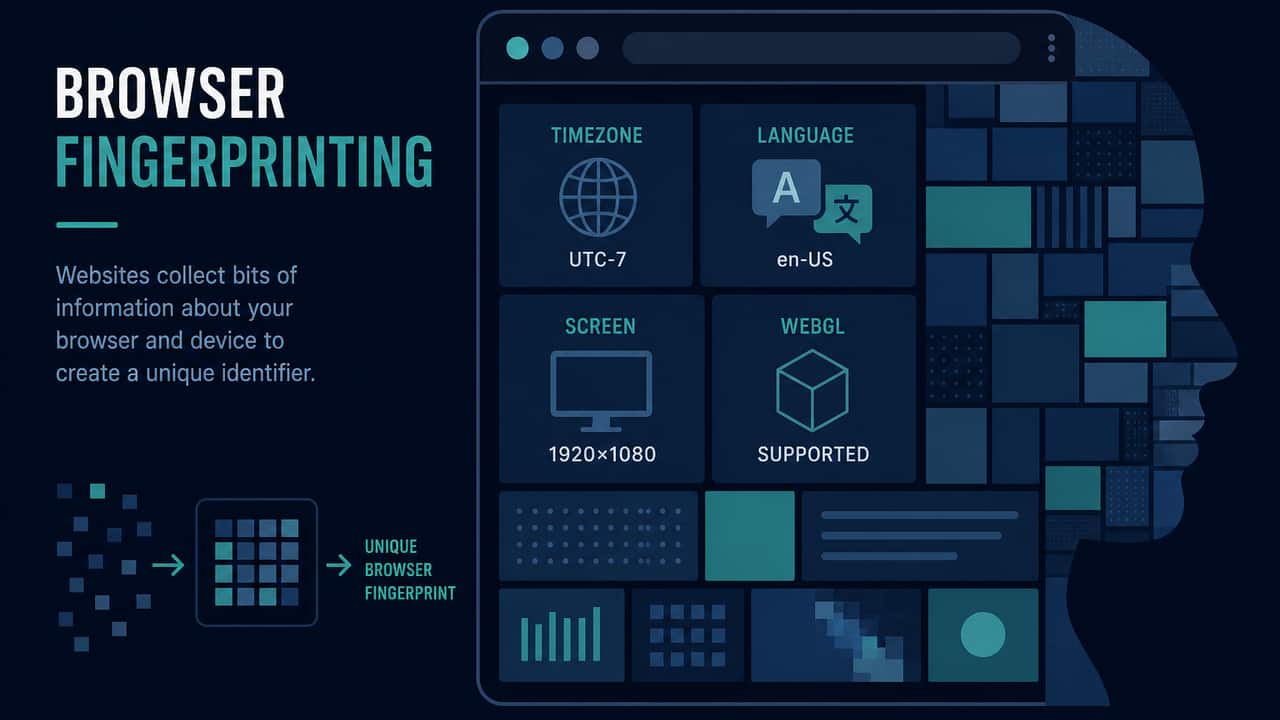
Browser fingerprinting is the practice of combining ordinary browser and device fields — language, timezone, screen size, installed graphics, and similar signals — into a profile that can recognize a browser over time. This site does not generate a fingerprint ID. It lists fields this browser already exposes, locally, so you can see them.
A public IP is one signal among many. Substituting the IP with a VPN exit does not erase cookies, does not log you out of accounts, and does not reset timezone or screen size. Treat fingerprinting and IP substitution as different layers.
What a website can read without a special “spy” API
Much of fingerprinting uses APIs that pages need for normal layout and language. Examples this project surfaces on the browser privacy test:
- User agent
- Language
- Timezone
- Screen size
- Do Not Track
- Cookies enabled
- WebGL renderer, when the browser provides it
- JavaScript enabled (implied by the page running)
- Referrer, when present
None of those fields is a street address. Together they can still be distinctive, especially on an unusual setup. Distinctive is not the same as uniquely identified in every case. This page will not invent a uniqueness percentage.
Observation vs a tracking ID
Observation: “This browser reports timezone Europe/Istanbul and a 1920×1080 screen.”
Inference: “Those fields are available to scripts in this tab.”
Not proven: “You have been uniquely identified,” “this is a complete security audit,” or “turning on a VPN stopped fingerprinting.”
Privacy Leak Check does not compute a hash of your signals. It does not store a cross-site identifier. Missing fields mean the browser did not provide them, not that they were fabricated.
How fingerprinting relates to an IP address
The public IP lookup shows the address a lookup provider saw for this connection. Websites you visit also see an address for that HTTPS request. That address can change when the path changes.
Fingerprinting fields usually do not change when the IP changes. Language, timezone, and screen stay put unless you change the OS or browser settings. That is why “I hid my IP, so I am untrackable” does not follow.
Logged-in accounts are stronger than either layer. If you are signed into mail or shopping, the site knows the account regardless of IP and regardless of canvas or WebGL.
Does a VPN stop browser fingerprinting?
No. A working tunnel, when it actually covers this browser, typically replaces the public IP websites see. It does not reset browser fields. For the IP half of that sentence, see Does a VPN hide your IP address? and the troubleshooting guide Does a VPN hide your IP?.
Some VPN products add extra anti-fingerprinting features. This site does not test those product claims and does not invent discount or feature guarantees. Verify IP substitution locally; treat extra claims as vendor documentation, not as something this page measured.
Incognito, extensions, and “privacy browsers”
Private browsing often drops cookies when the window closes. It does not reliably hide the public IP, and it does not empty every fingerprinting field. Does incognito mode hide your IP address? covers that search question.
Extensions can add or remove signals. They can also make a browser more distinctive. This page will not rank browsers or sell a fingerprint score as a medical or legal result.
The privacy score on this site, when shown, starts at 100 and lists each deduction. It is a transparent local checklist, not a complete audit.
WebRTC is a different path
WebRTC ICE candidates are not the same as a canvas fingerprint. They can advertise addresses for calls. Private and .local candidates are not confirmed leaks here. A different public ICE IP from the ordinary lookup is the only case treated as possible leak evidence. Read What is a WebRTC leak? before mixing those results into a fingerprinting discussion.
How to use this site’s browser check
- Open the browser privacy test.
- Read each field as something this tab can already see. Do not paste the full user agent plus IP into a public thread.
- Optionally look up the public IP so you know which address ordinary HTTPS used.
- If you change a VPN or a browser setting, re-run the same pages in the same profile. One screenshot is a weak sample.
What this explanation is not
It is not a complete tracker census. It is not proof that advertising networks cannot recognize you. It is not advice to disable JavaScript on every site. It is a plain account of signals a page can read, plus honest limits: no DNS leak test, no automatic VPN detection, no fingerprint ID.
If your goal is “see what this browser already exposes,” use the local test. If your goal is “see whether the public IP moved after I toggled a VPN,” use the VPN test with a saved baseline. Keep those jobs separate.
Try the matching check
These pages run in this browser. They report what they observe. They cannot prove that a VPN is on, that DNS is protected, or that you are anonymous.
Affiliate link — we may earn a commission.
Related articles
Does incognito mode hide your IP address?
A private window still uses a public IP for HTTPS. It is not a VPN, not a DNS leak test, and not a fingerprint eraser.
Does a VPN hide your IP address?
When the tunnel covers this browser, lookup services typically see the VPN exit instead of the ISP address. Cookies, logins, and browser fields still remain.
What is my public IP address and what does it reveal?
Your public IP is the address this browser used to reach a lookup service. It can suggest a network and sometimes a coarse region. It does not prove who you are.